
Configuring Support Information
This feature is only available to administrators in DisplayNet Manager.
Support Information is a system-wide setting that determines what contact information appears to all users when they need help. This information appears in the DisplayNet Controller's About section and in system error messages.
Overview
Support Information helps end users know who to contact when they encounter problems. Administrators configure these settings once in DisplayNet Manager, and they apply to all users across the system.
Accessing Support Information Settings
- Log into DisplayNet Manager as an administrator
- Navigate to the User Settings section
- Select a user to view their User Information screen
- Locate the Support Info section below the DisplayNet Controller settings
- Click the Configure button to open the Support Information modal
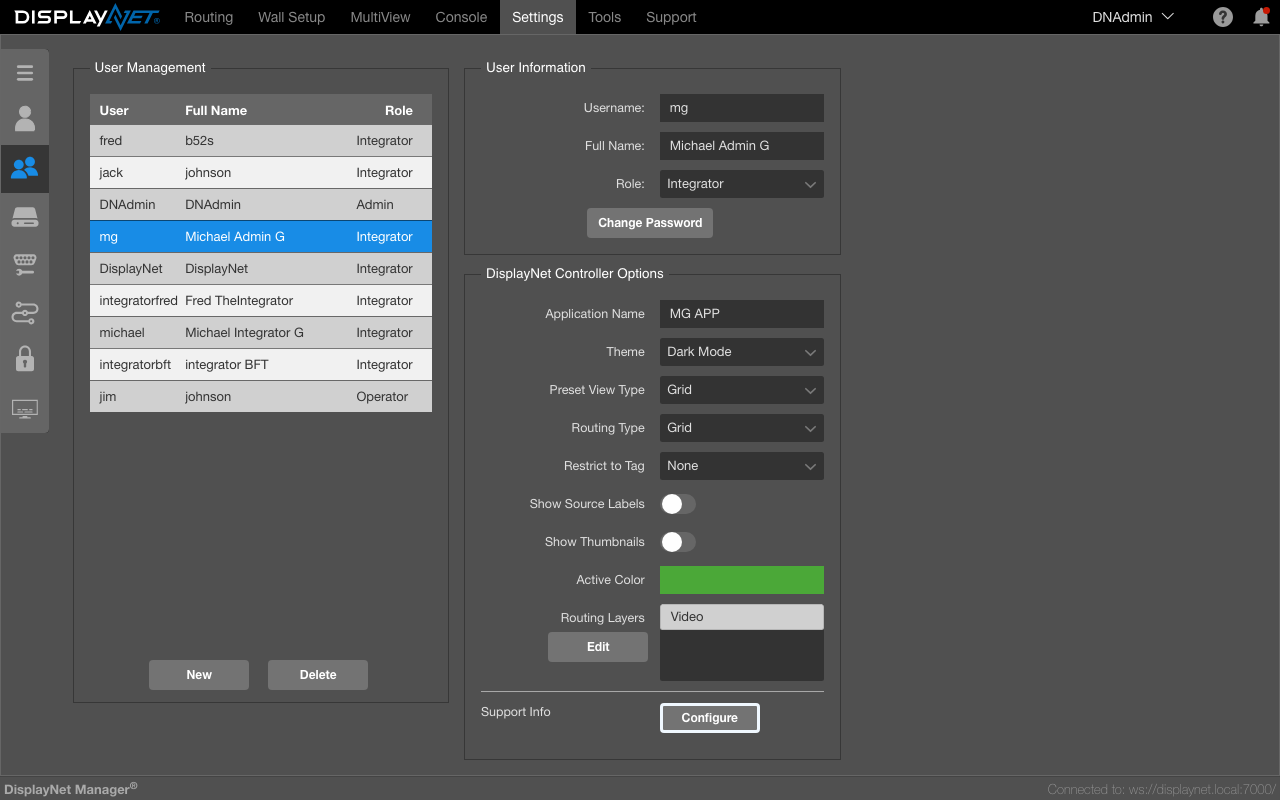
Configuring Support Information
The Support Information modal allows you to set the following fields:
Contact Information Fields
- Company Name - Your organization's name
- Support Phone - Phone number for technical support
- Support Email - Email address for support requests
- Website URL - Your company or support website
- Support Hours - Available support hours and timezone
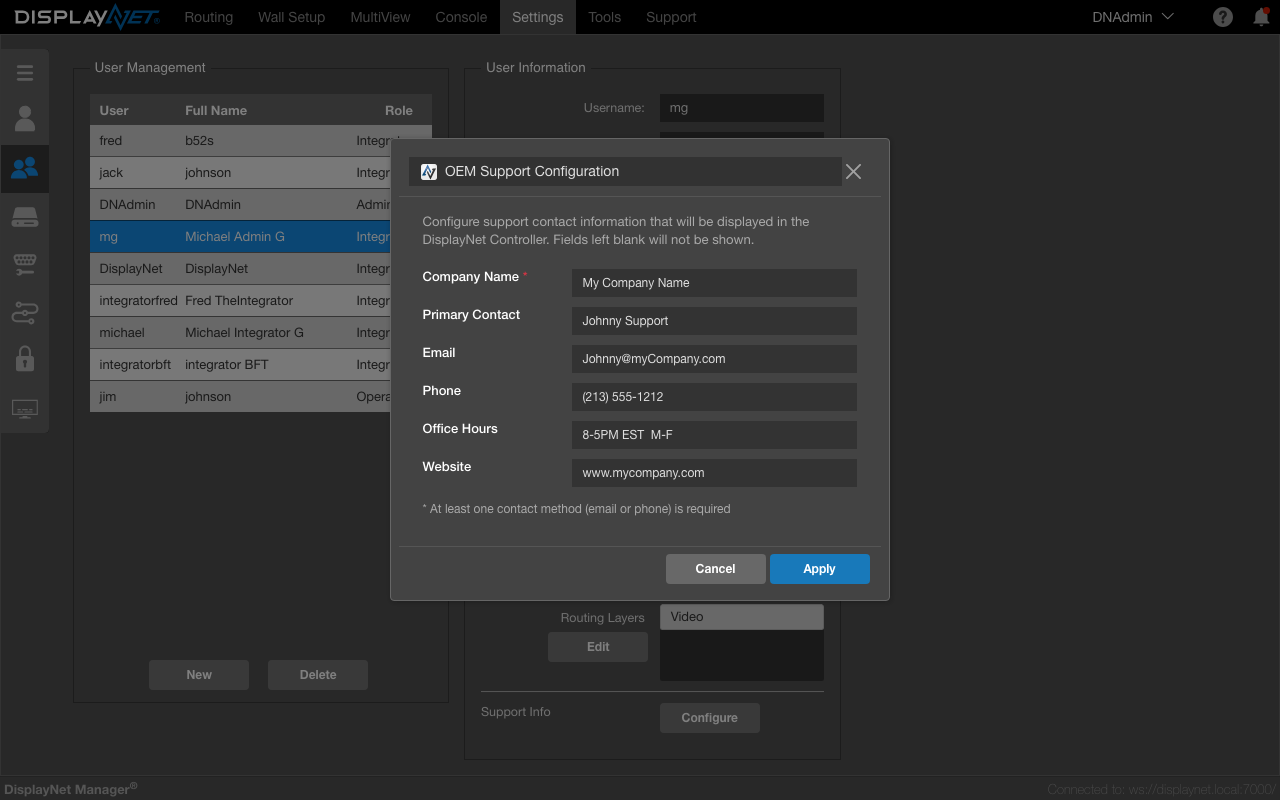
If any field is left empty, it will not be shown to users. Only completed fields appear in the support information display.
How Users Access Support Information
Once configured, users can access this support information in two ways:
DisplayNet Controller About Section
Users can click the "about" icon in the top right of the DisplayNet Controller interface to view the support information.
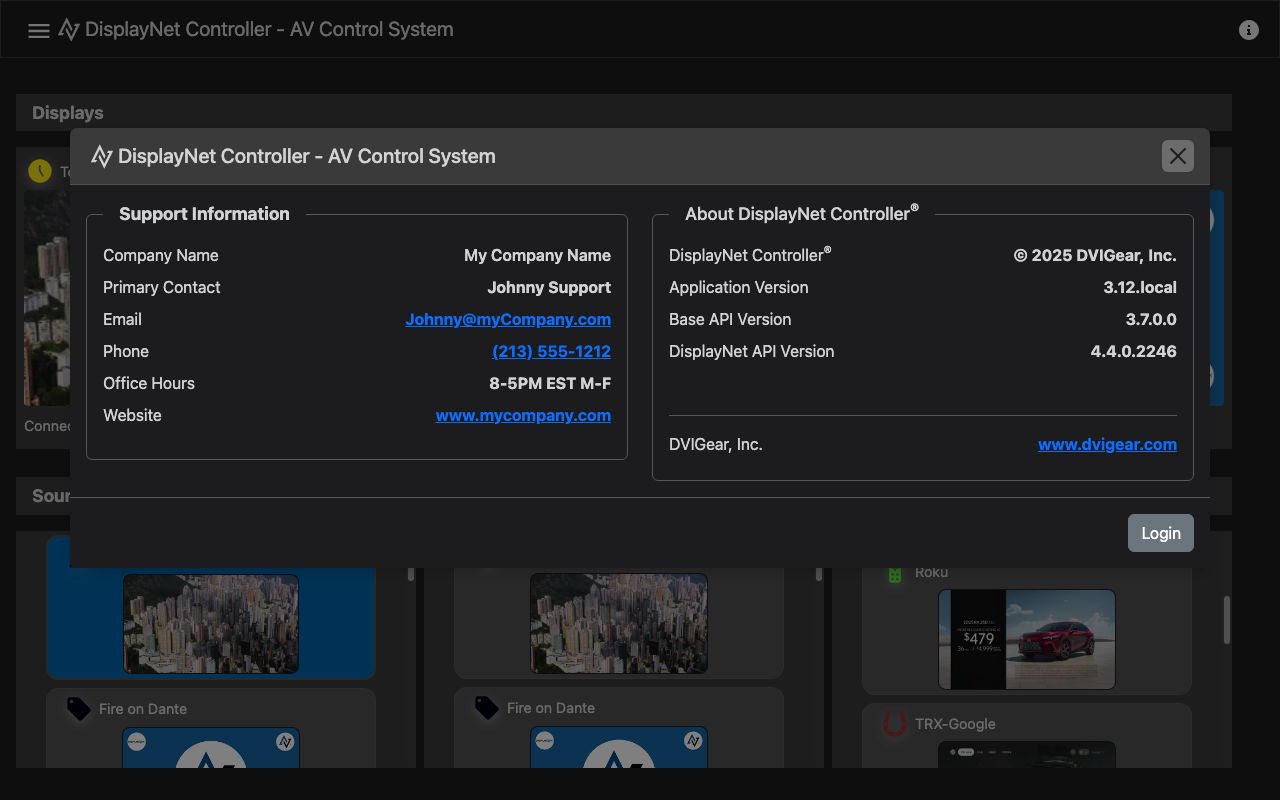
Screenshot of the About modal in DisplayNet Controller showing the configured support information.
System Error Messages
When system errors occur, the configured support information is automatically included in error messages to help users know who to contact for assistance.
Best Practices
- Keep contact information current and accurate
- Include timezone information with support hours
- Test phone numbers and email addresses regularly
- Provide multiple contact methods when possible