Activity Log
The Activity Log is an ongoing readout of the DisplayNet API commands sent to the server from DisplayNet Manager or the command terminal. It also shows the responses received from the server, if the "Show Output" option is enabled.
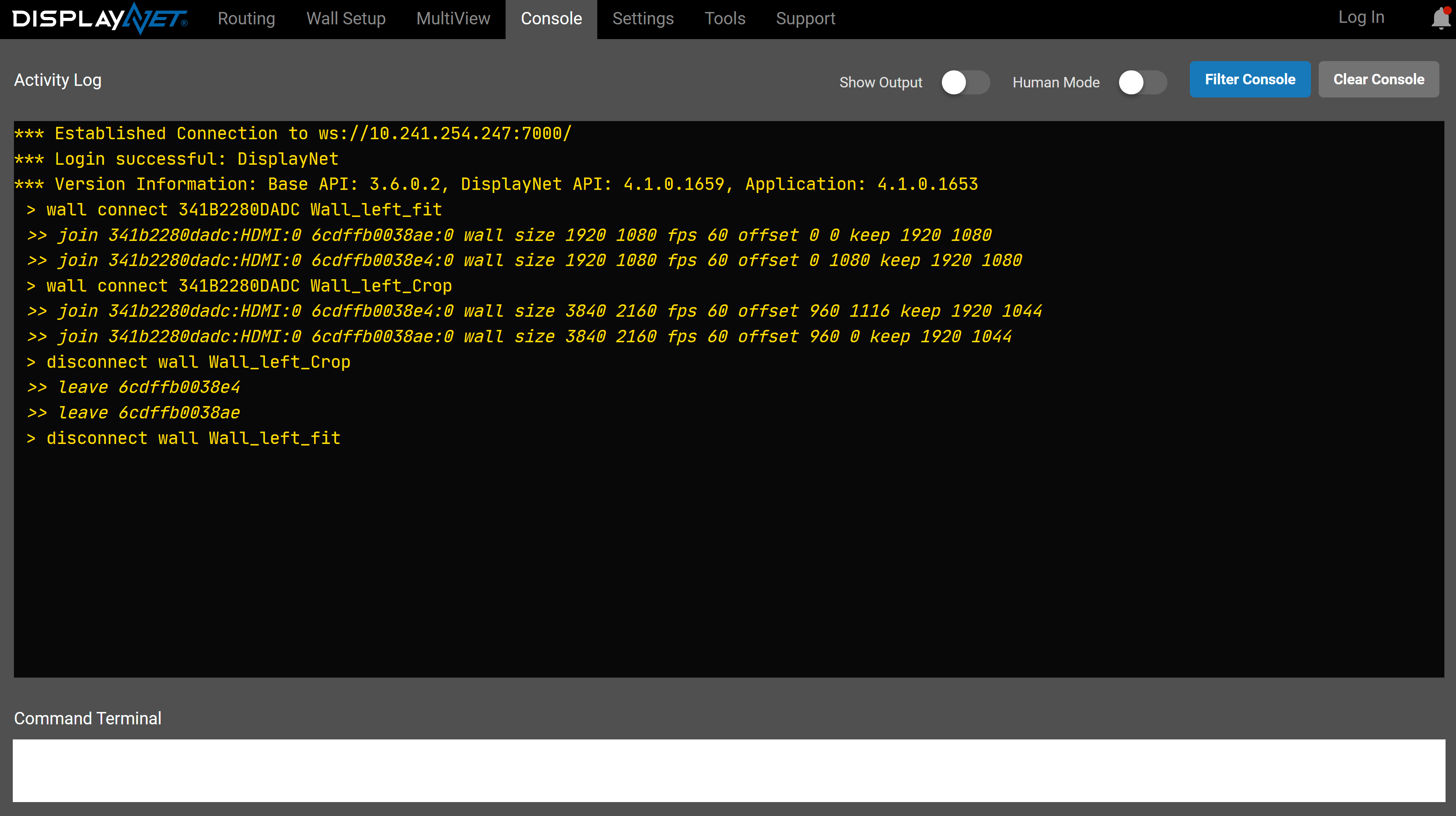
By default, the activity log is set to only show commands sent to the API, and any responses received from the API are discarded. Check the "Show Output" option to enable responses to be recorded and displayed. The API responses can be useful for testing and debugging purposes, but may interfere with the the use of third-party control equipment when copying and pasting commands.
As more commands appear in the activity log, newer commands will be shown at the bottom of the list. The scroll bar on the right side of the Activity Log panel can be used to view entries that have become hidden.
To control DisplayNet Manager's memory usage, the Activity Log stores only the most recent 1000 sent commands.
To clear the current contents of the Activity Log, click the "Clear Console" button.
Preparing Logged Commands for Use Elsewhere
Any commands sent by DisplayNet Manager can be copied and transferred to third-party controllers. This can be done to replicate actions performed in the software. First, ensure that the Show Output box is unchecked. This will filter out any responses and retain only the commands being sent. Next, click Clear Console to remove previously sent commands from the log. Finally, perform the action(s) to be automated.
The Activity Log will show the commands sent to perform the action. Select all text in the Activity Log, and then copy it to the clipboard.
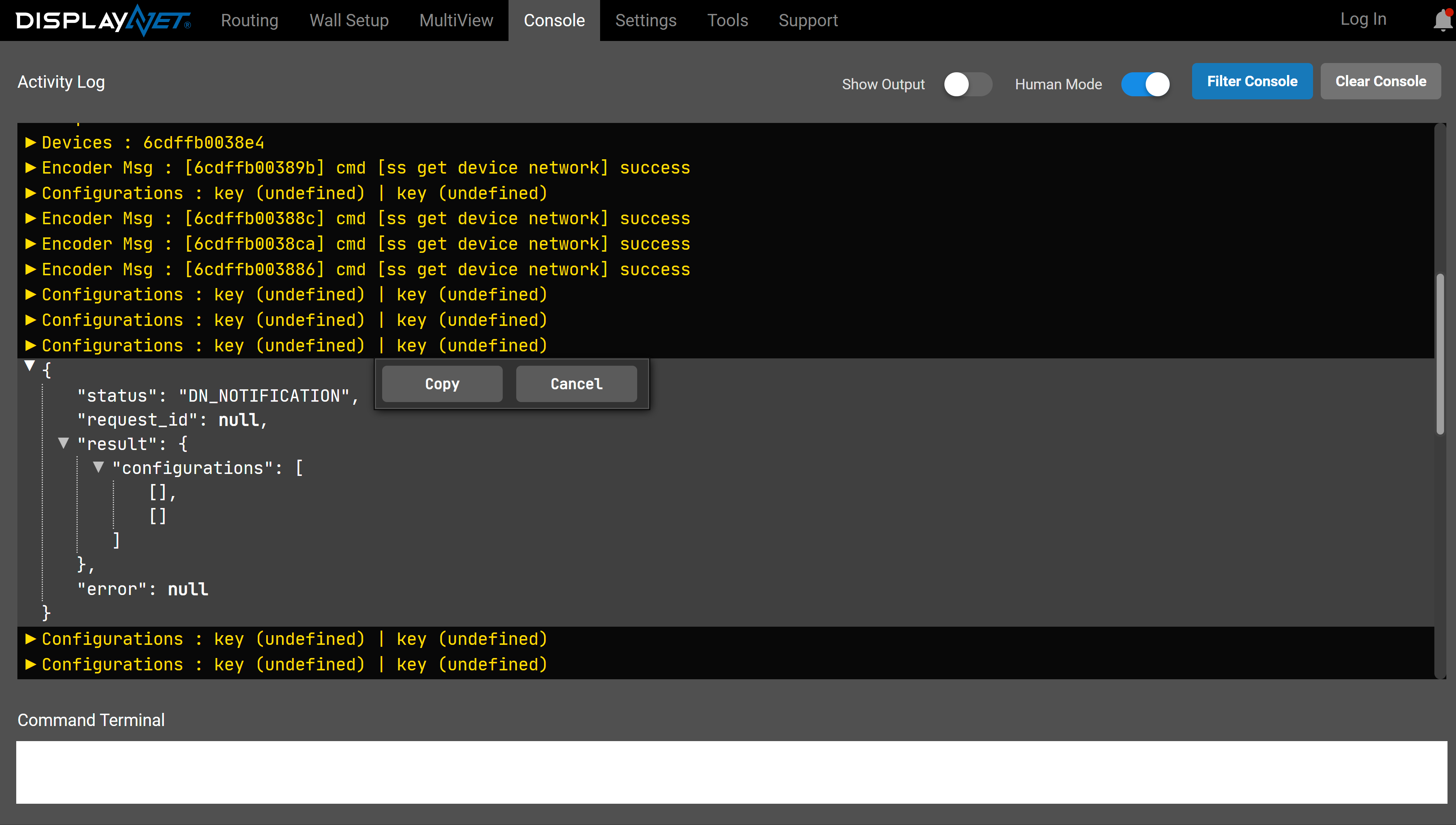
When in "Human Mode", output in the activity log can be expanded and collapsed. Each group can be quickly copied to clipboard via the right-click menu.
Extraneous text and characters will need to be removed before re-using the commands in a third-party controller. Open a basic text-editing program, such as Windows Notepad, and paste the text.
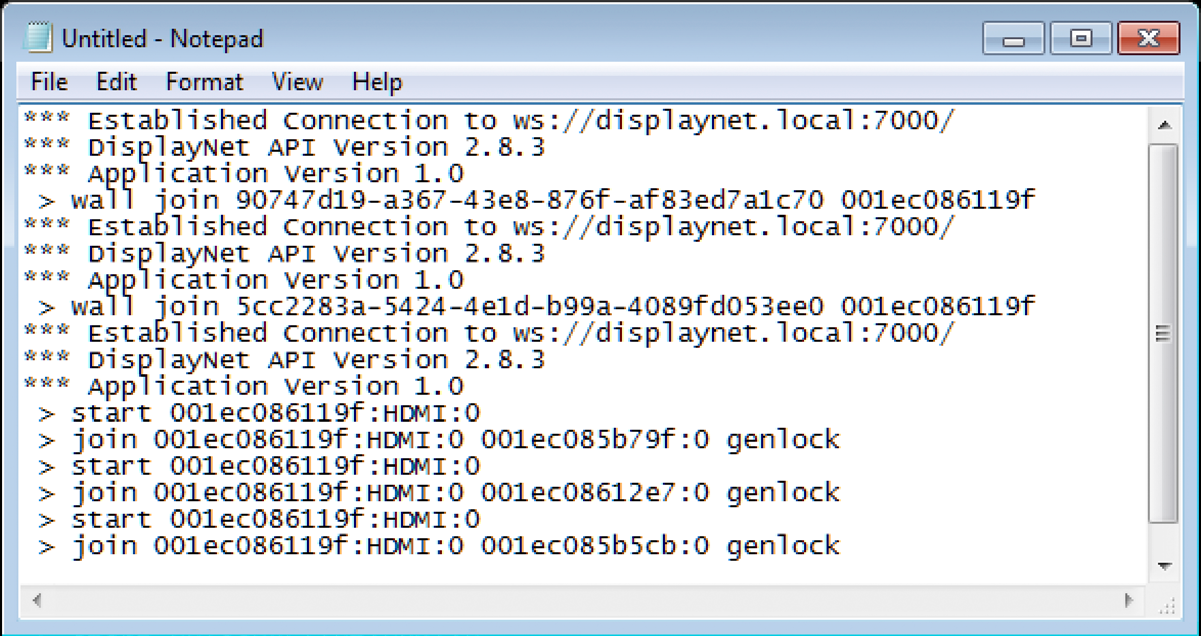
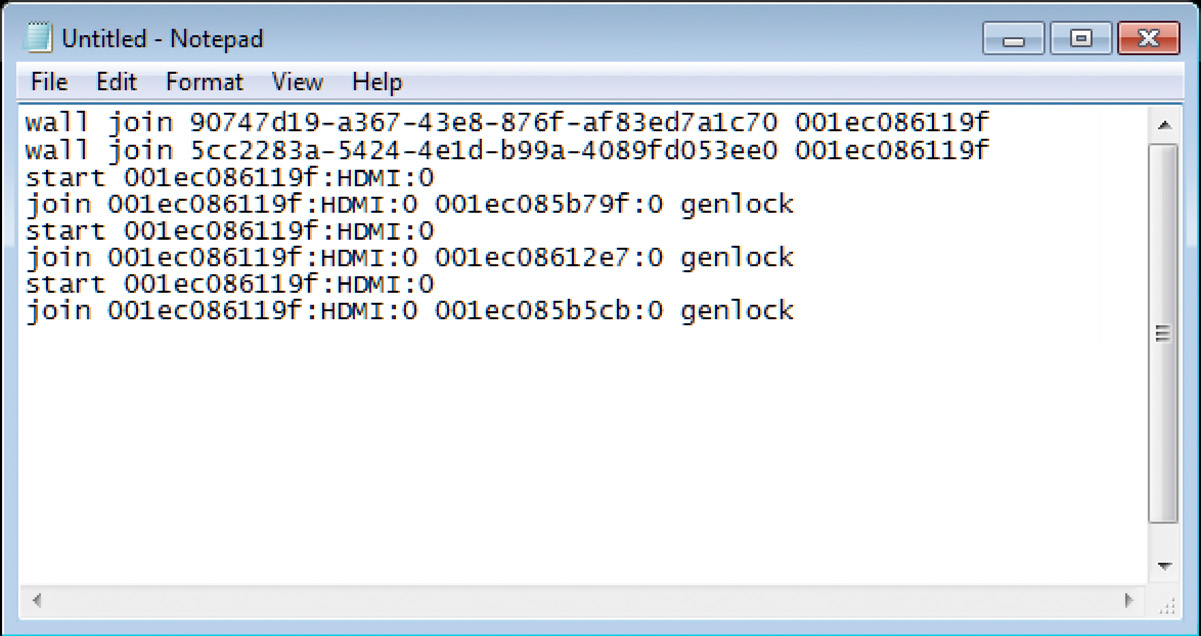
First, delete any lines that do not contain a command. If Show Output was disabled when the actions were performed, the only lines that should be deleted should be those starting with three asterisks (***). Next, delete the first three characters on each line ( > ). Notepad’s Find and Replace function may be used to do this quickly, especially when working with large sets of commands. Once these steps are complete, the only text that should remain are DisplayNet API commands with no extra characters. These commands may now be used by any third-party control system that supports the use of Telnet to send commands. Commands should be sent to port 6980 on DisplayNet Server.