
Device Filtering
On large systems, it can be useful to show only a subset of the many devices on a system.
After creating tags and assigning to devices, it is possible to choose a tag (or tag group) and only show devices with the selected tag (or tag group).
Device filtering is only available on the Device List and the Routing Tab.
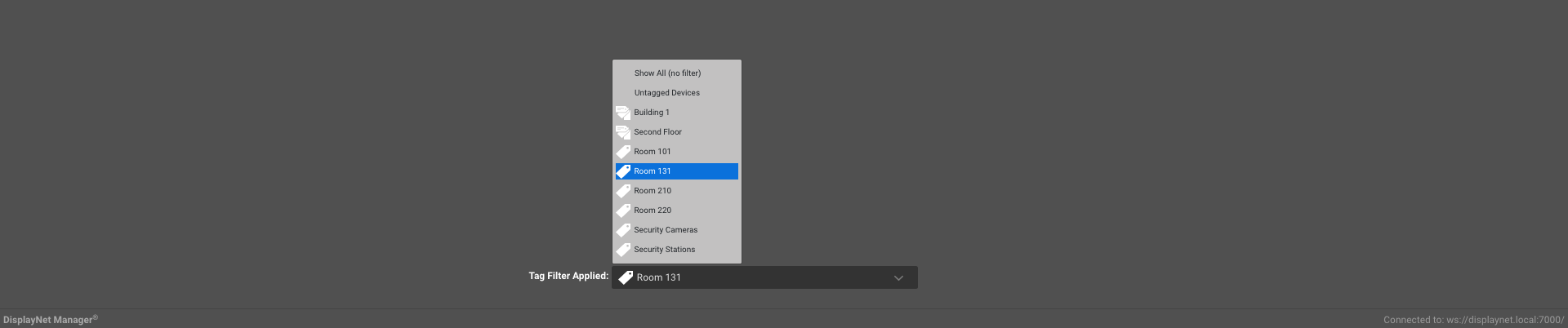
This is done by selecting the tag (or tag group) from the dropdown menu in the bottom center of the Device List or Routing tabs.
Options in the dropdown menu include:
- Show All (no filter) - This option will show all devices in the system, regardless of tags.
- Untagged Devices - This option will show all devices in the system that have no tags.
- Tag Groups - This option will show all devices in the system that have tags that are part of the selected tag group.
- Tags - This option will show all devices in the system that have the selected tag.
To change the applied tag filter, click on the dropdown menu and select the desired tag filter.
| Tags are identified by this icon. |  |
| Tag groups are identified this icon. |  |
If no tag filters have been created, the only options will be 'Show All(no filter)' and 'Untagged Devices'.