
Overlay Tab
The Overlay Tab contains settings pertaining to the overlay functionality of each DisplayNet device.
To access the Overlay Tab, navigate to the Device Settings Rollup and select the Overlay Tab.
Only DN-200 Series devices support overlays.
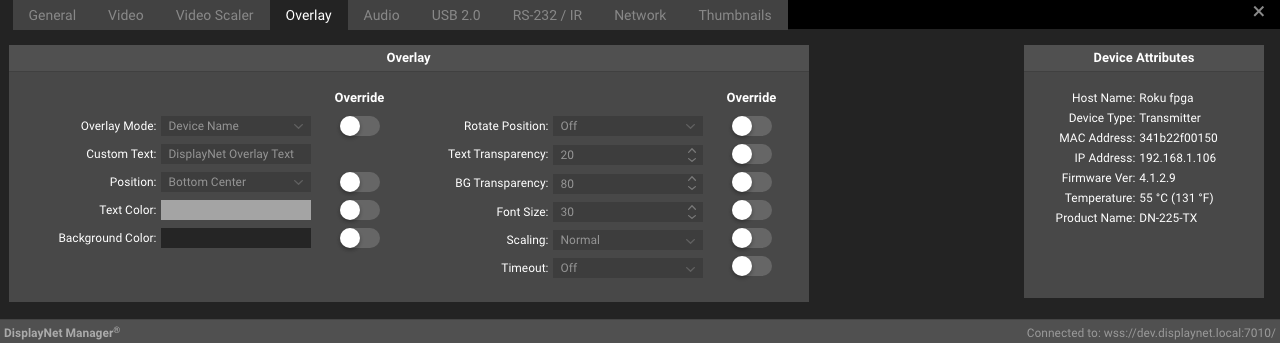
Overlay Settings
The settings available in this section are used to configure the device-specific overlay settings, overriding the system-wide defaults available in the Overlay Default Settings under the Global Image Settings.
These settings are described in detail in the associated Overlay Default Settings documentation.
Override
The "Override" switch next to each option allows the user to override the global default settings for the specific device. When this switch is enabled, the device-specific settings will be used instead of the global default settings.