
Multichannel Audio Layer
The Multichannel Audio Layer allows for the bi-directional routing of independent multichannel digital audio streams. For DN-300 Series devices, this layer is connected to the analog audio jacks on the hardware, enabling bi-directional routing of analog audio. Like other layers, the Multichannel Audio layer may be routed independently of the other signal layers.
The Multichannel Audio Layer is color-coded orange.
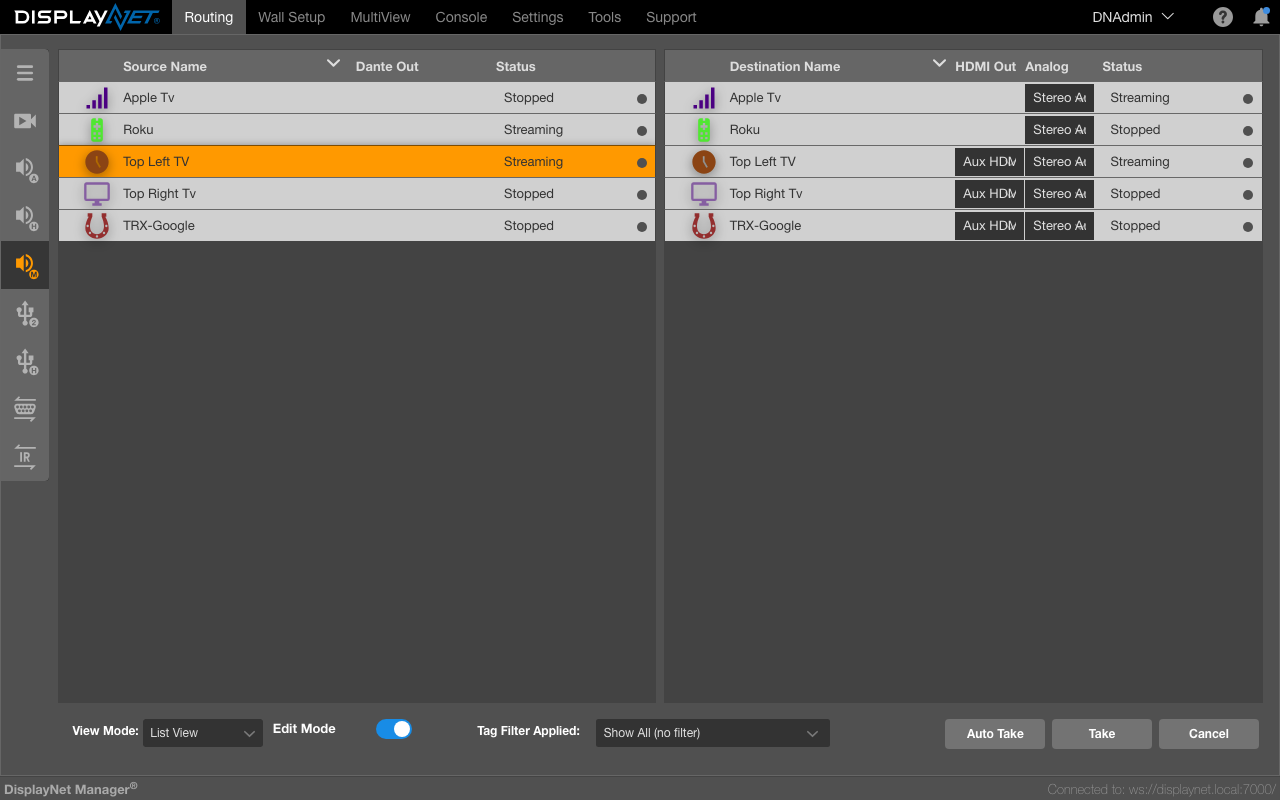
Audio Controls
The right-click menu (found when right-clicking a device) can be used to start and stop the multichannel audio streams on transmitters. Receivers can leave audio streams in the same way that they can leave video streams.
Stopping and Starting Audio on Transmitters
To stop the TX from sending its audio stream over the 10GbE link, select "Stop Multich Audio". The TX will retain its multicast address. However, no audio data will be sent and any RX devices subscribed to the TX will not be provided with an audio stream. The Source Device Row will display status "Stopped", however the subscribed Destination device rows will continue to display "Streaming" as their status, as they have not left the multicast group. Audio may be resumed by selecting "Start Multich Audio". As the receivers are still subscribed to the multicast group, audio playback may be resumed without re-joining the receivers.
Leaving Audio on Receivers
Receivers have the option to leave the multicast group to which they are subscribed. To do this, right-click the receiver and select "Leave Multichannel". Once this is done, the receiver will not be subscribed to the Multichannel audio stream. The Destination Device Row will display "Stopped" as the device’s status. In this case, the receiver must be re-joined to a source device to resume audio playback.
The options that are present in the receiver's submenu depend on the device characteristics. For example, if the receiver has a 3.5mm audio output jack, the Analog Out column will be present.
Audio Output Settings
There are two audio output columns in the Audio Layer:
- HDMI Out
- Analog Out
The audio outputs on each device can be set to output different audio streams. For more information on available streams, see Device Settings > Audio Tab.