
USB 2.0 Layer
The USB 2.0 Layer can be used to set up pass-through bi-directional USB 2.0 communication between two compatible DisplayNet devices. USB-equipped DisplayNet transmitters may be used to connect to USB host devices, such as a PC, and USB-equipped DisplayNet receivers may be used to connect to USB endpoint devices, such as a keyboard or mouse. USB 2.0 connections are independently routed, but all routings must be one-to-one, a transmitter may not be routed to multiple receivers and multiple transmitters may not be routed to a single receiver. All USB-equipped transmitters are listed in the Sources panel and all USB-equipped receivers will appear in the Destinations panel.
The USB 2.0 Layer is color-coded magenta.
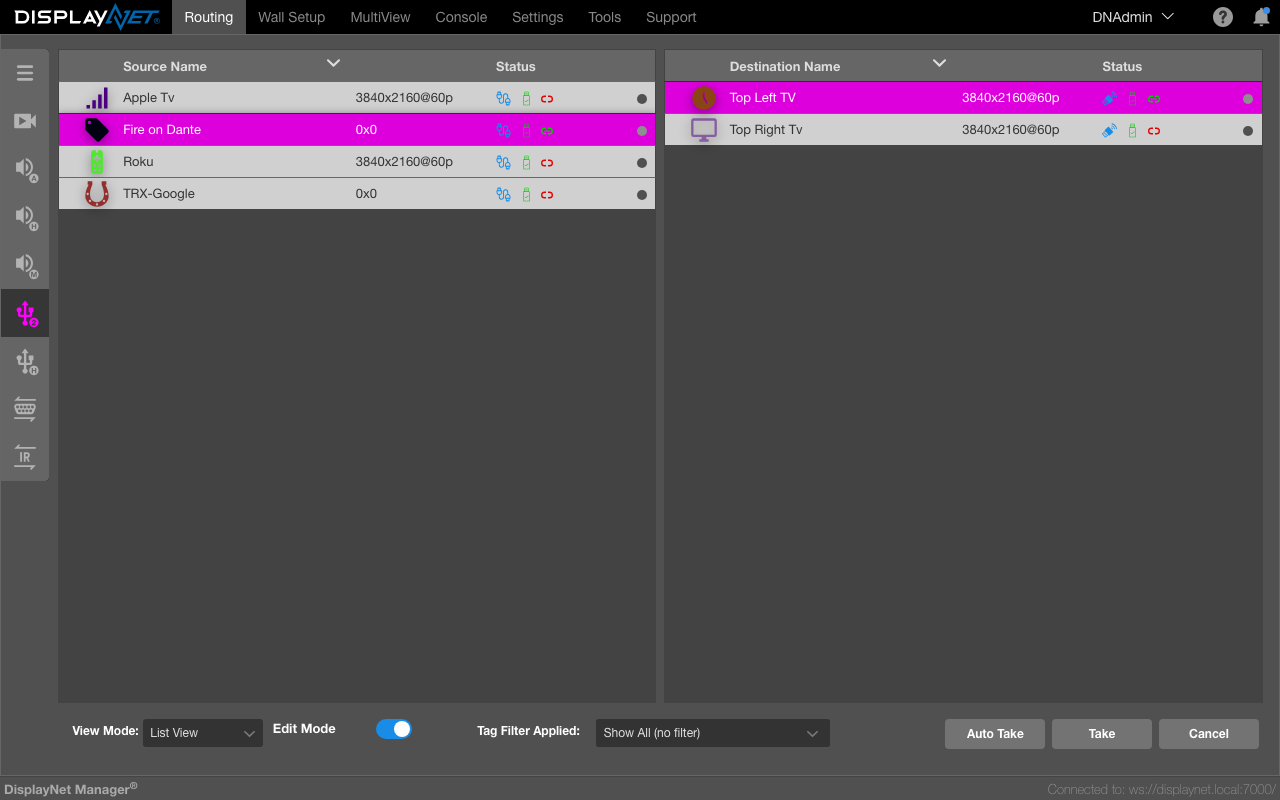
USB 2.0 may only be used to connect USB host devices to USB endpoint devices, it is not possible to control DisplayNet devices through the USB connection. Additionally, if a new routing is created that includes a currently-routed device, the existing routing will be disconnected when the new routing is performed. As USB 2.0 is always bidirectional, only one routing is needed to establish two-way communication between the host device and any endpoint devices.