
USB HID Layer
The USB HID layer only shows devices that have USB HID functionality, such as the DN-300H.
Devices configured as a local extender are shown in the Sources panel, while remote extender devices are shown in the destinations panel.
Currently, there are a maximum of three connected USB HID peripherals per DisplayNet device, not including USB hubs.
Local Vs Remote
- LOCAL The device acts as a source USB device that connects to a USB host (i.e., a PC).
- REMOTE The device acts as a destination USB host to which USB HID devices connect (keyboard, mouse, etc.)
The USB HID Layer color-coded olive.
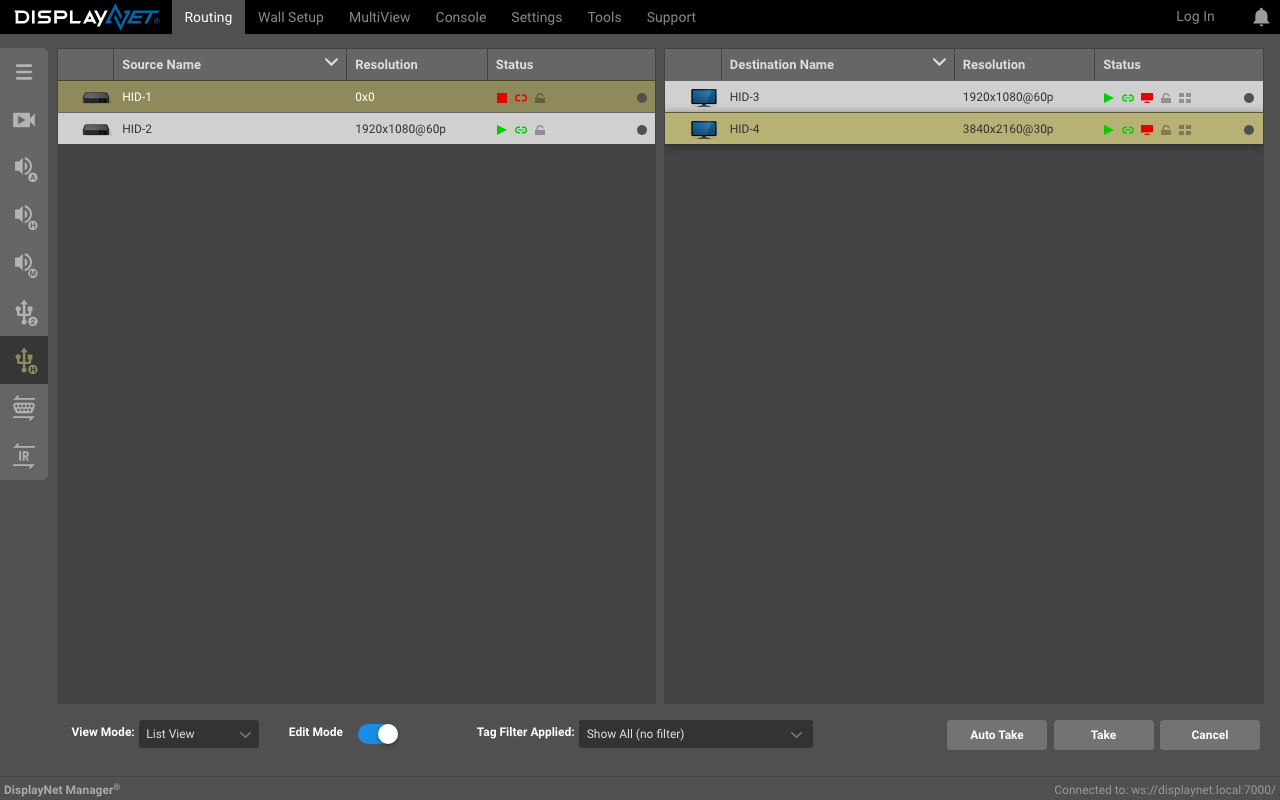
To view device-specific USB HID information, double-click on a device to open the Device Settings window and navigate to the USB HID tab.
KVM Collaborative Mode
KVM Collaborative Mode allows multiple remote Receiver units to connect to a single Transmitter unit for USB HID control.
Key Features
-
Enables multiple users to simultaneously interact with and control a single machine's keyboard and mouse.
-
Uses HID endpoints for communication.
-
Ideal for real-time collaboration environments:
- Control centers
- Meeting rooms
- Classrooms
How It Works
- Multiple users connect to separate HID SDVoE endpoints with their own HID devices (keyboards and mice)
- These devices are routed to a single Remote destination using the USB HID Layer routing tab
- Users can collectively control the same machine as if directly connected
Setting Up Collaborative Mode
Route two or more Remote HID devices to a single Local destination using the USB HID Layer routing tab.

Example Scenario
In a control center, two users at different workstations (each with an RX unit) can simultaneously manage a critical system connected to a single TX unit. Both users can use their keyboards and mice to control the system in real-time, facilitating rapid response and collaborative decision-making.
Technical Note
This configuration allows each user with USB devices on the remote RX devices to control the machine connected to the TX device as if they were directly connected to it.