
User Management
- This page is inaccessible to non-admins
Overview
By default, users are not required to log into DisplayNet Manager. The non-logged-in user is called "DisplayNet". This user has the role of "Integrator". Admin users can manage other users in the user management tab.
The default Admin user is configured during the setup process, the username and password is chosen for an "Admin User" which the username, by default is "DNAdmin".
DisplayNet Users
Admin users can manage users in the user management tab which is accessed by clicking the "User Management" tab in the settings tab. Admins can also require users to be logged in all time by checking the "Require Authentication" option in the security settings tab.
New users can be added, and existing users can be edited or deleted. Users full name, Role (Integrator/Admin) and password can be changed.
Note: Non-admin users will not see the User Management tab.
New User
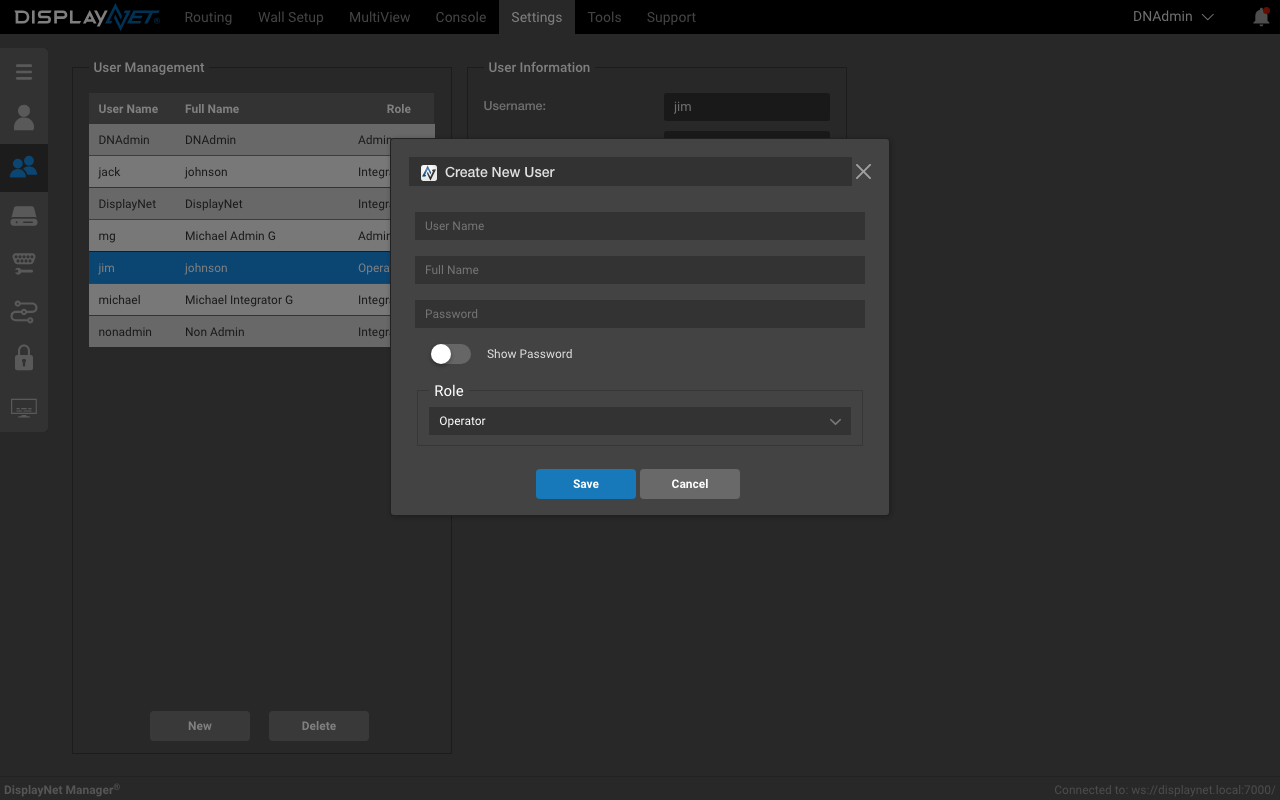
To add a new user
- click the "New" button located at the bottom left of the User Management tab.
- Enter the new user's: username, full name, password, and role.
- Click "Save" to save the new user.
That user can low log into DisplayNet Manager.
Edit User
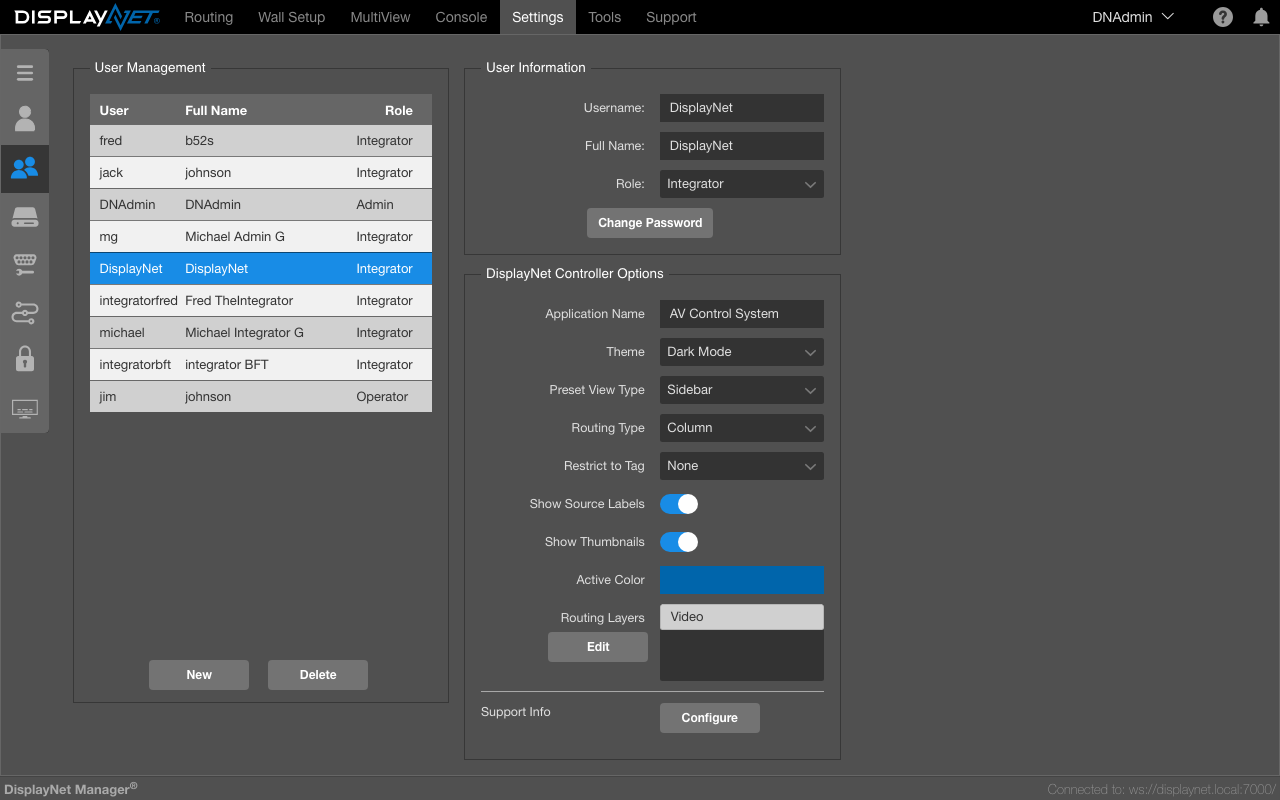
- Select a user by Username from the list to edit. The selected user's information will be displayed in the form.
- The selected user's Full Name, role and password can be changed. The Username cannot be changed.
For information on configuring DisplayNet Controller options for each user, see DisplayNet Controller Configuration.
These changes are applied immediately.
Delete User
- Select a user by Username from the list to delete.
- Click the "Delete" button to delete the user.
- Finalize the deletion by clicking "Delete" in the confirmation dialog.
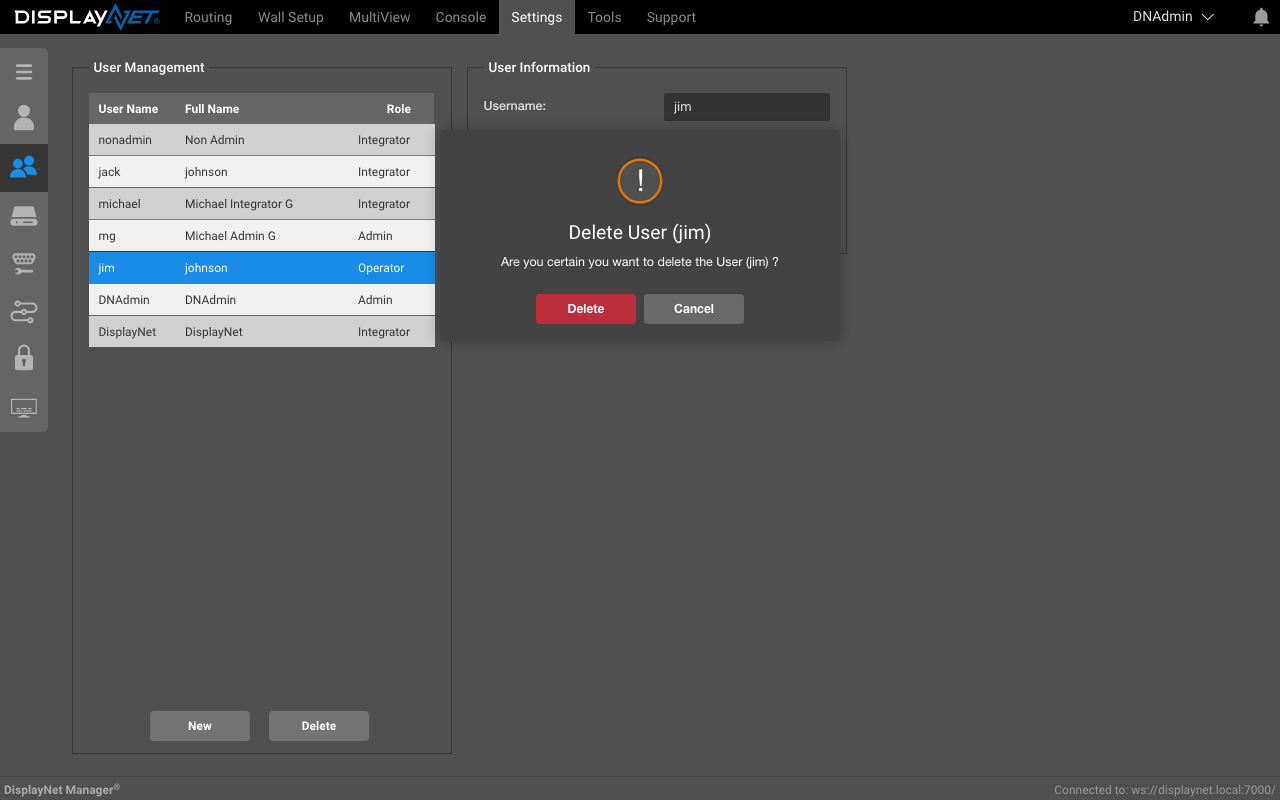
The user will be removed from the system.
Change Password
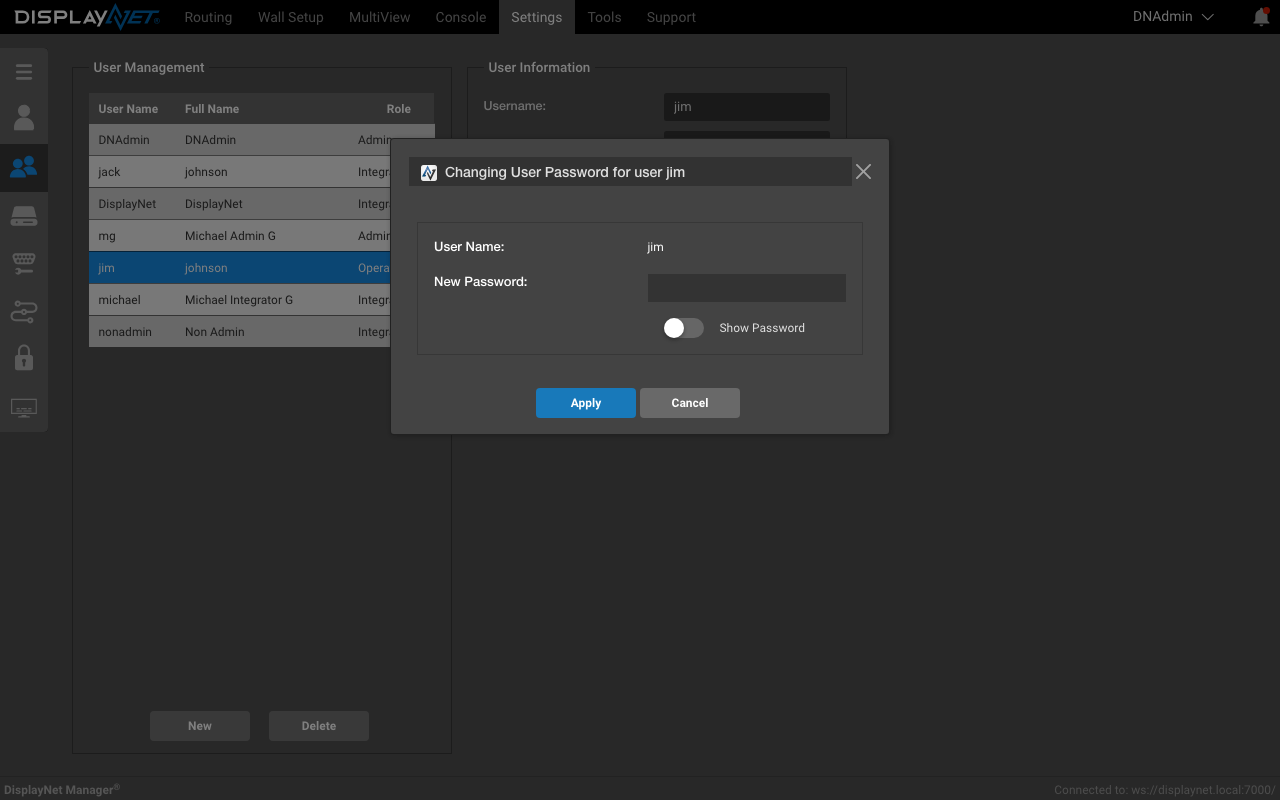
- Select a user by Username from the list to change the password.
- Click the "Change Password" button to change the password.
- Enter the new password in the dialog and click "Apply" to save the new password.
The "Show Password" checkbox can be used to show the password in plain text.
User Roles
There are two user roles: Integrator and Admin.
Integrator is the default role with access to all DisplayNet Manager features except administrative functions. Integrators can configure devices, create routing presets, manage layouts, and perform all operational tasks.
Admin users have full access to all features including user management, security settings, and system configuration.
By default, the non-logged-in user "DisplayNet" is an Integrator user with full operational capabilities.
Note: For end users who need simplified daily operational controls without configuration capabilities, use DisplayNet Controller instead of DisplayNet Manager.