System Applications
Software-Based Hardware Consolidation
DisplayNet is a unified platform that replaces multiple traditional AV hardware components with dynamic software-based features. Where traditional installations require separate dedicated devices for each function, DisplayNet provides all these capabilities in a single, software-configurable system:
Traditional Approach: Matrix switcher + video wall processor + multiviewer + point-to-point extenders + control systems DisplayNet Approach: Single platform with software-configurable applications
This consolidation reduces hardware costs, simplifies installation, eliminates integration complexity, and provides unprecedented flexibility through dynamic software configuration.
Matrix Switching Applications
Traditional Hardware: Dedicated matrix switcher chassis with fixed input/output configurations, proprietary signal processing, and limited scalability.
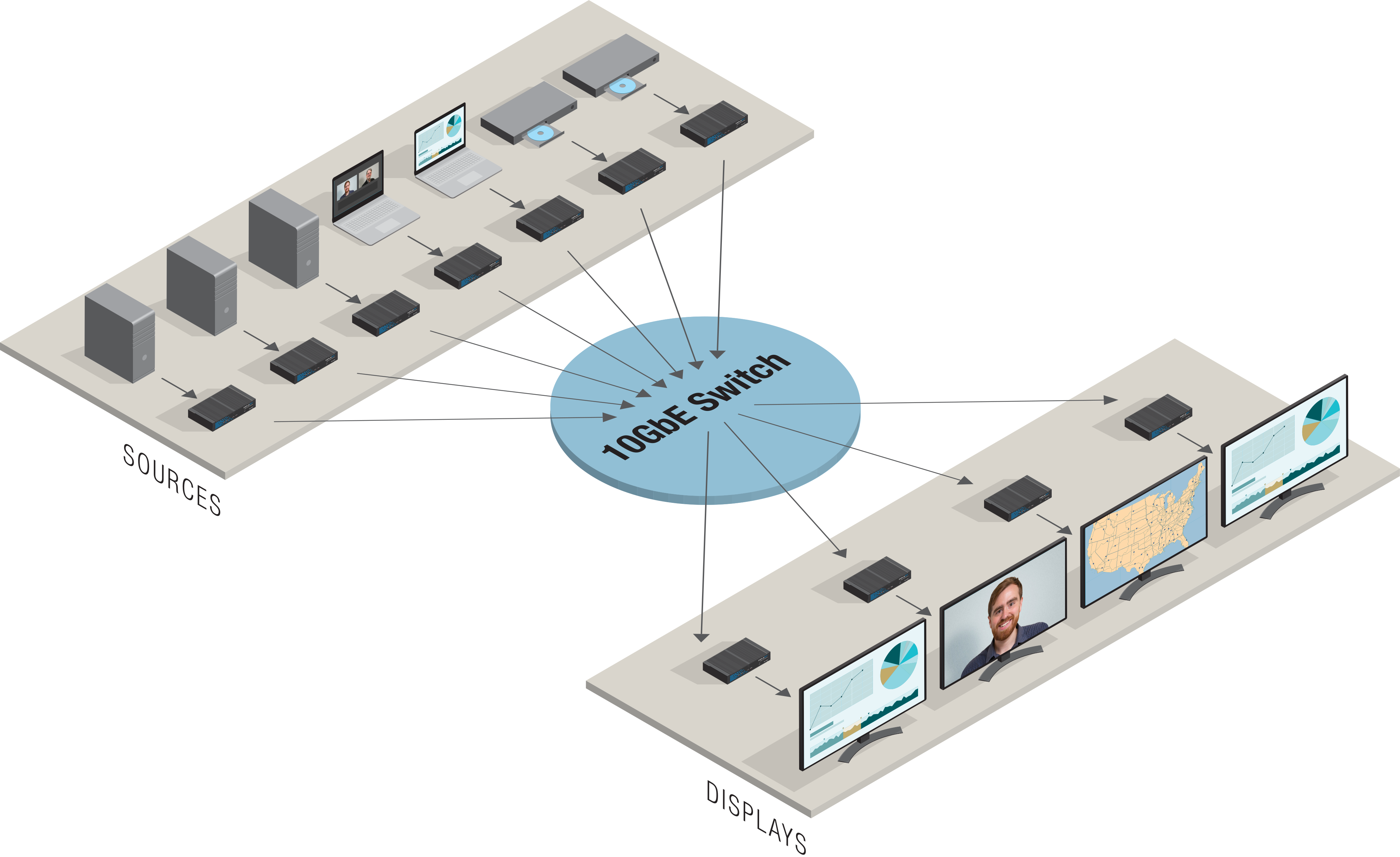
DisplayNet Software Approach: Dynamic matrix switching functionality implemented entirely in software, providing unlimited scalability and flexible I/O configurations using standard 10GbE network infrastructure.
DisplayNet systems allow any input signal to be distributed to any number or combination of outputs with no hardware constraints. Each signal layer—HDMI with Embedded Audio, External Analog Stereo Audio, Downmixed Audio, 1GbE, RS-232, and bidirectional IR—can all be independently routed through software configuration.
Key Advantages:
- No fixed I/O limitations (expandable through additional switch ports)
- Multi-layer independent signal routing
- Software-based signal processing and routing
- Standard IT infrastructure compatibility
Video Wall Applications
Traditional Hardware: Dedicated video wall processor or controller, requiring separate hardware for video wall functionality alongside existing matrix switchers.
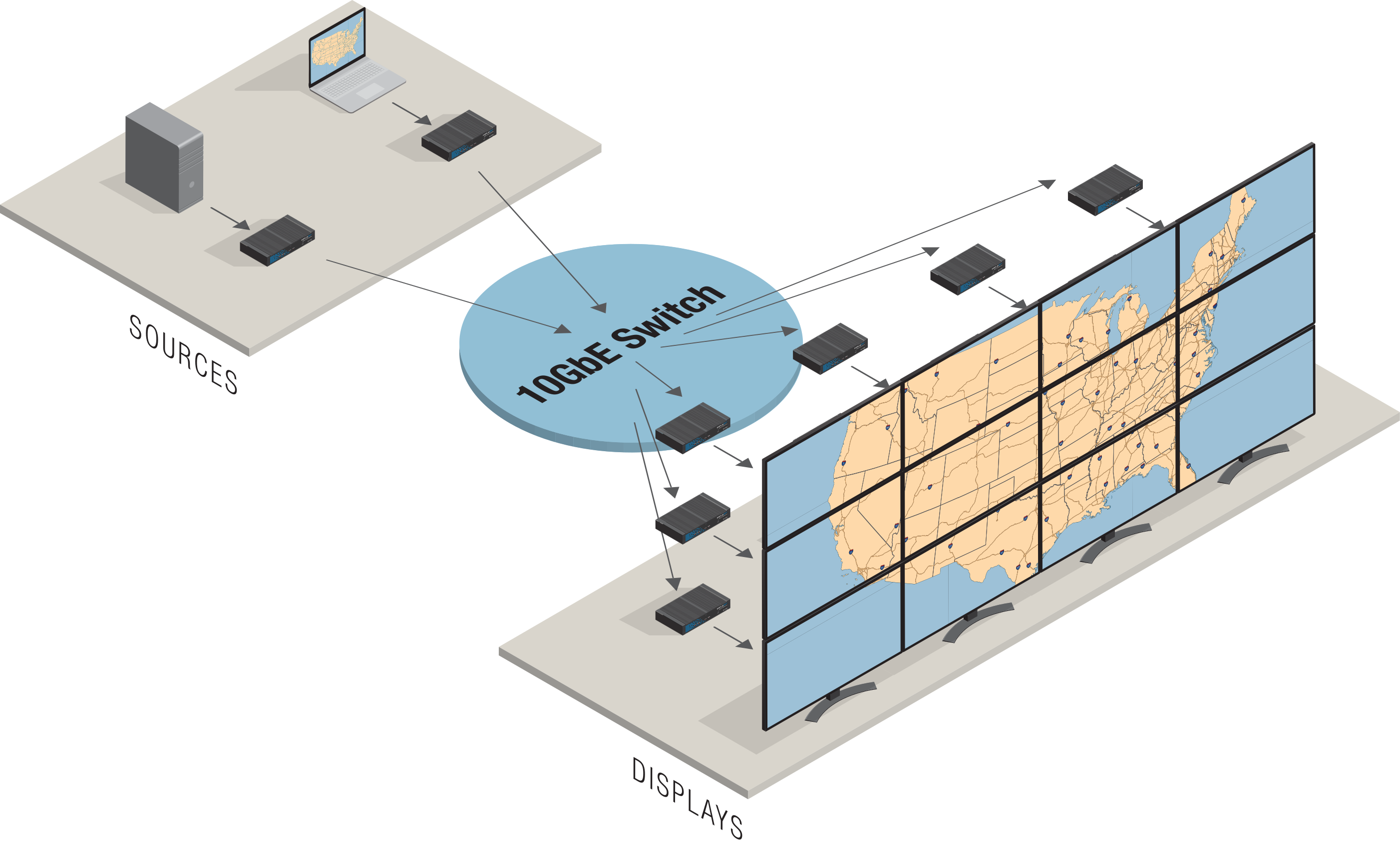
DisplayNet Software Approach: Integrated video wall processing within the same platform that handles matrix switching, eliminating the need for separate video wall hardware.
DisplayNet supports concurrent matrix switching and video wall operation within the same system. In Video Wall mode, a single source may be distributed across a grid of displays, with each DisplayNet receiver processing its assigned segment of the video. The software automatically handles video segmentation, scaling, and synchronization across all displays.
DisplayNet Manager includes a comprehensive video wall configuration tool that can create, save, and manage unlimited wall configurations, all through software control.
Key Advantages:
- No separate video wall processor required
- Concurrent matrix and video wall operation
- Unlimited wall configurations through software
- Dynamic reconfiguration without hardware changes
- Integrated bezel correction and display management
The displays used in a wall should be identical. Displays from different manufacturers or even different models from the same manufacturer will have different bezel sizes, input lag, and color reproduction.
If a receiver is part of an active wall configuration, its normal display mode will be overruled, and Fast Switched mode will be used instead. If the receiver is returned to matrix switching operation, then its display mode will return to its previously set value.
Multiviewer Operation
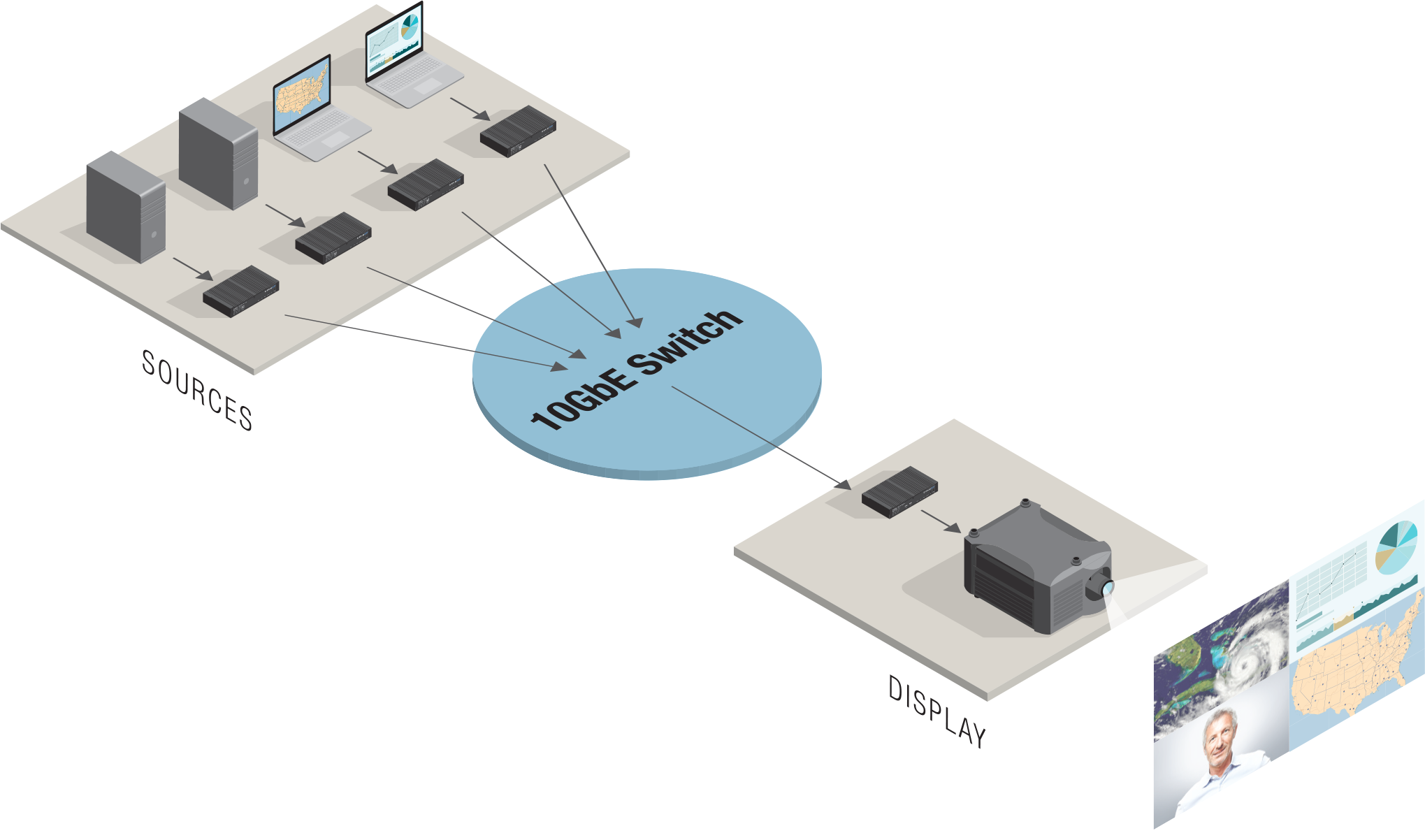
DisplayNet receiver devices are equipped with powerful multiviewer functionality, allowing for up to 32 different streams of video to be displayed on a single screen. In this case, a receiver configured for multiview will join the multicast group for each stream that is to be displayed and then display it according to the layout assigned to it. The built-in scaler in the DisplayNet series transmitter allows for streams of any size to be presented in a multiview layout, as long as bandwidth is sufficient. The Multiviewer mode also allows for complex layouts, streams can be arranged and overlaid in any size or configuration, allowing for applications such as overlaid video feeds and Picture-In-Picture. DisplayNet Manager provides tools for integrators and developers to design layouts that can later be easily recalled by control units using the DisplayNet API.
To enable this feature, the scaler in the DisplayNet transmitters provide a second HDMI stream over the network with the scaled output. This stream is known as Stream 1; the original unscaled stream is known as Stream 0. When a transmitter is added to a multiview in DisplayNet Manager, Stream 0 is stopped, Stream 1 is started with the requested scaling parameters, and all existing destinations routed to that source are switched to Stream 1. This is done for bandwidth reasons; with proper planning, both streams 0 and 1 may be used simultaneously via the DisplayNet API. To reduce bandwidth usage, the frame-rate converter may be enabled on Stream 1, this halves the refresh rate of the video feed, and reduces bandwidth consumption by half, as full-quality video is often not needed when presenting multiple scaled-down streams of video on-screen.
Point-to-Point Extender Operation
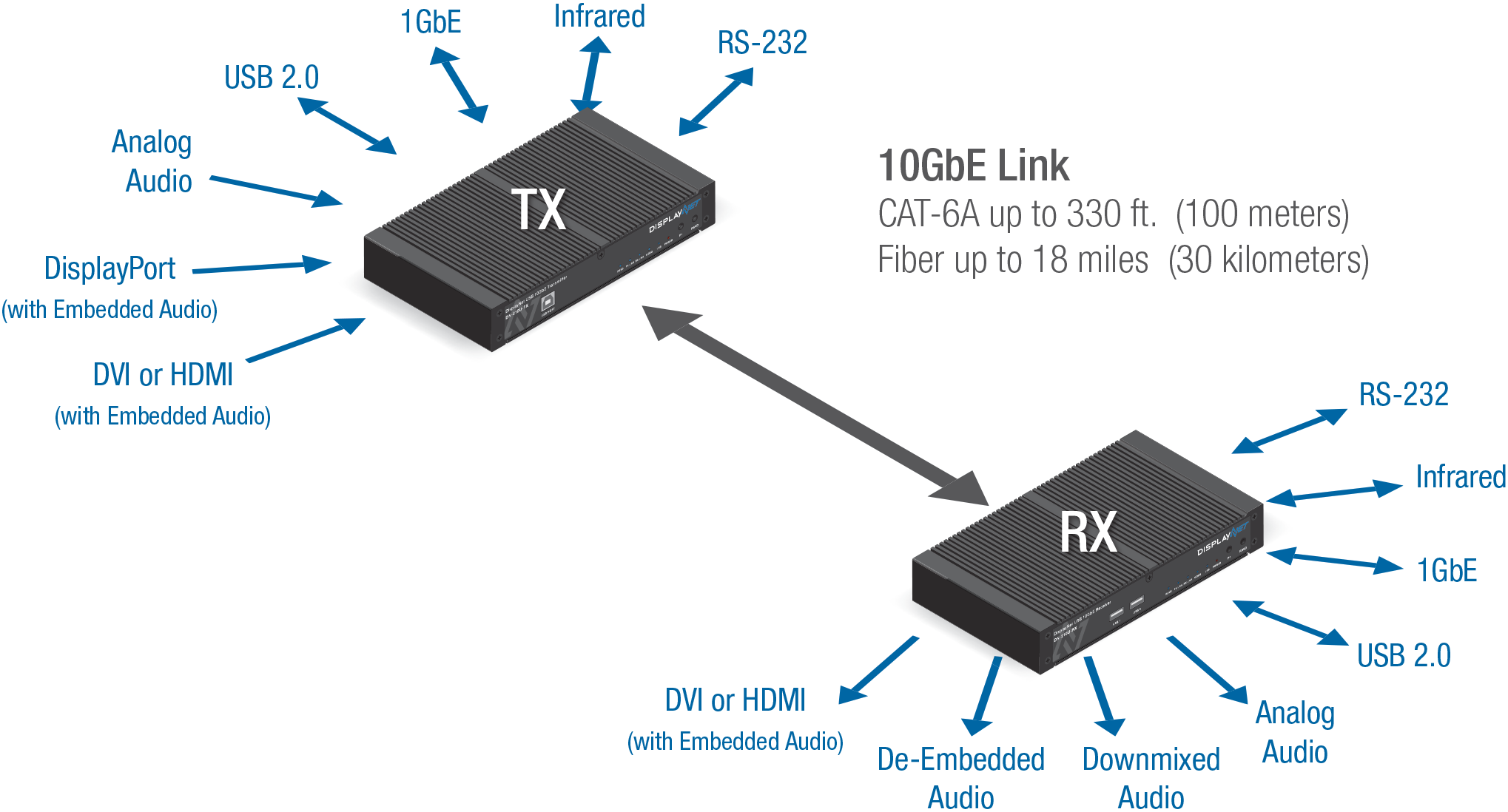
In addition to matrix switcher, video wall, and multiviewer operations, DisplayNet transmitter and receiver devices can be used in a point-to-point configuration, without the need for a 10GbE network switch. DN-300 transmitters and receivers can support extension distances of up to 100 meters (328 ft.) using CAT-6A or CAT-7 cable, and up to 30 kilometers (18 miles) using fiber optic media with SFP+ modules. When a transmitter and a receiver are used in a point-to-point configuration, the devices are automatically joined on all signal layers (Video, Analog Audio, Downmixed Audio, 1GbE, RS-232, and IR). However, EDID management should still be performed using DisplayNet Manager software or DisplayNet API commands.